
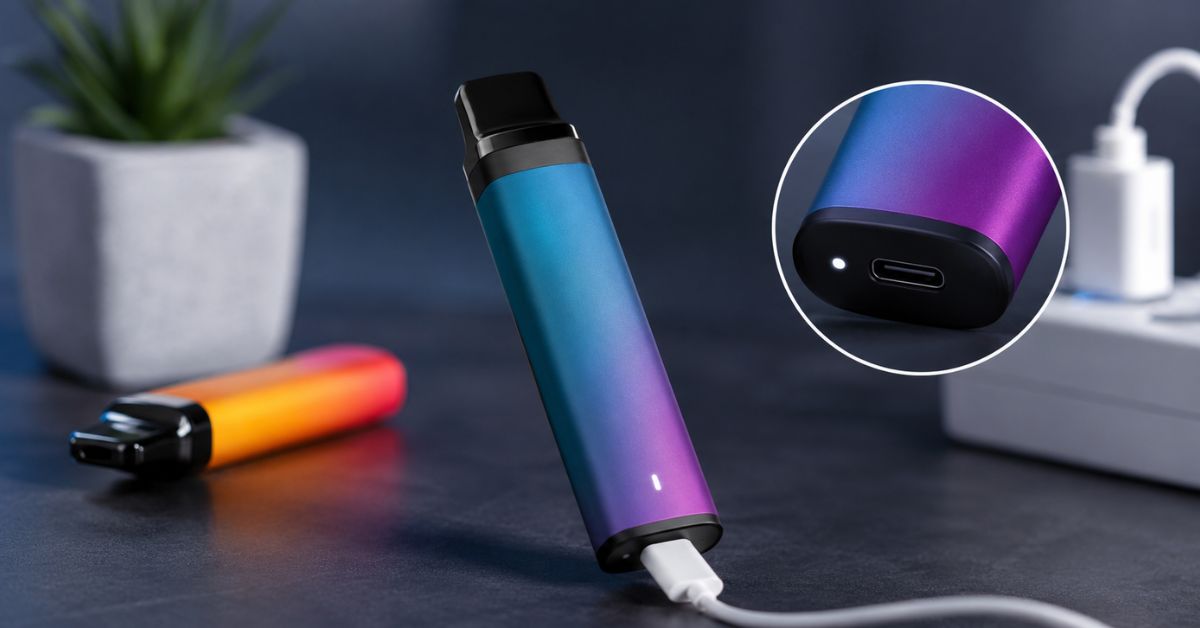
Disposable vapes have become one of the most popular vaping devices because they're compact, easy to use, and require little maintenance. However, many users run into a common problem—the battery runs out before the e-liquid is completely used. This often leads to questions like can you charge a disposable vape, how long does it take to charge a disposable vape, and how to recharge a disposable vape safely.
The good news is that many modern disposable vapes are rechargeable. Manufacturers now equip high-puff-count devices with rechargeable lithium-ion batteries, allowing users to recharge the battery several times until the e-liquid is fully consumed. However, not every disposable vape supports charging, so it's important to identify your device before plugging it into a power source.
If you're looking for a long-lasting nicotine-free option, the Geek Bar Pulse 15K Disposable 0% NICOTINE FREE is worth considering.
Quick Answer
Can you recharge a disposable vape?
Yes—but only if it's designed to be rechargeable.
If your disposable vape has a USB-C or Micro-USB charging port, you can usually recharge the battery safely using a compatible charging cable and a suitable USB power source. If the device has no charging port, it is intended for single use and should never be modified or connected to a charger.
Charging the correct way not only helps you enjoy all of the remaining e-liquid but also protects the battery from unnecessary wear and reduces potential safety risks.
In this guide, you'll learn:
- How to tell if your disposable vape is rechargeable
- The safest way to recharge a disposable vape
- How long charging usually takes
- What charging indicator lights mean
- Common charging mistakes to avoid
- Why a rechargeable disposable vape may not be charging
- When it's time to replace your device instead of recharging it
Whether you're a beginner or an experienced user, this guide provides practical, up-to-date information to help you recharge your disposable vape safely and correctly.
The North 5000 Puffs Disposable Vape 3% is a popular option for vapers who prefer a disposable device with consistent performance.
Can You Recharge a Disposable Vape?
The short answer is yes—but only certain models are rechargeable.
Today's disposable vapes generally fall into two categories:
- Rechargeable disposable vapes
- Non-rechargeable disposable vapes
Rechargeable models include an integrated lithium-ion battery with a USB charging port, allowing you to recharge the battery multiple times until the e-liquid is depleted. This design has become increasingly common because many disposable vapes now offer 5,000, 10,000, 20,000, or even 40,000 puffs. Without rechargeable batteries, users would often throw away devices that still contained usable e-liquid.
In contrast, traditional disposable vapes are designed for one-time use. Once either the battery or the e-liquid runs out, the device should be disposed of responsibly according to your local recycling guidelines.
If you've searched for can you charge disposable vapes, can you charge vapes, or charge disposable vape, remember that the answer depends entirely on whether your specific device was built with a rechargeable battery.
If you're looking for a tobacco-free smoking alternative, check out The Trost – Hemp Herbal Cigarette – Boom.
Rechargeable vs. Non-Rechargeable Disposable Vapes
| Feature | Rechargeable Disposable Vape | Non-Rechargeable Disposable Vape |
|---|---|---|
| Charging Port | USB-C or Micro USB | No charging port |
| Battery | Rechargeable lithium-ion | Fixed battery |
| Puff Count | Usually 5,000+ puffs | Usually lower puff count |
| Charging | Can be recharged multiple times | Cannot be recharged |
| Lifespan | Until e-liquid is depleted | Ends when battery or e-liquid runs out |
One important point to understand is that rechargeable doesn't mean reusable forever. Disposable vapes are still intended as single-use products. Recharging simply allows you to use all of the available e-liquid before replacing the device.
Why Do Some Disposable Vapes Need Charging?
Years ago, disposable vapes typically contained smaller batteries and lower amounts of e-liquid, so both were usually depleted at roughly the same time.
Modern disposable vapes are different.
Manufacturers have significantly increased e-liquid capacity to provide thousands of puffs. However, increasing battery size indefinitely would make the device much larger and heavier. Instead, many manufacturers include a rechargeable battery and charging port.
This approach offers several benefits:
- Allows users to finish all of the e-liquid.
- Reduces unnecessary product waste.
- Improves overall value.
- Provides more consistent vapor production throughout the device's lifespan.
For example, if your battery runs flat after several days but the device still contains e-liquid, simply recharging the battery allows you to continue vaping until the liquid is used up.
How to Tell if Your Disposable Vape Is Rechargeable
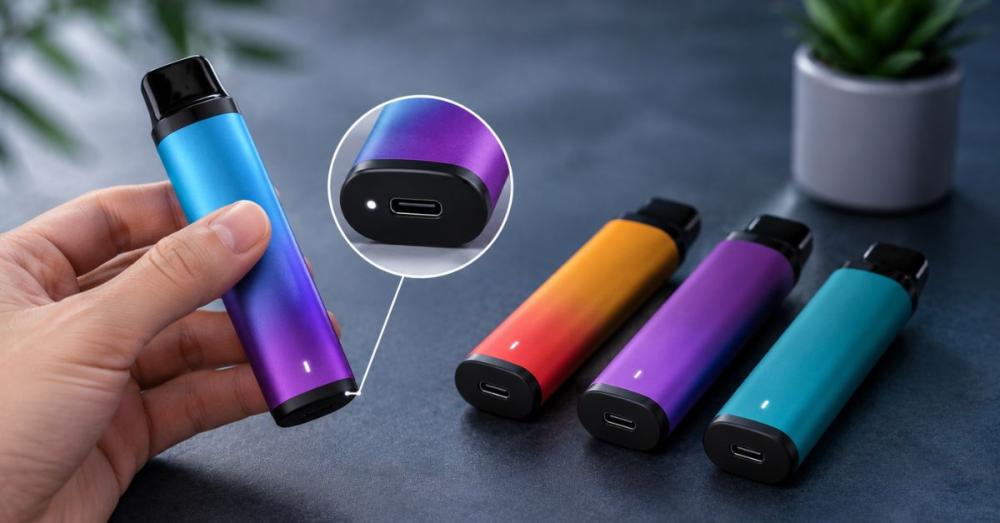
Before you start charging a disposable vape, confirm that the device actually supports recharging. Fortunately, identifying a rechargeable model is usually straightforward.
1. Look for a Charging Port
The easiest way to identify a rechargeable disposable vape is by checking the bottom or side of the device.
Most modern devices include either:
- USB-C (Type-C) — now the most common connector
- Micro USB — still found on some older disposable vapes
If you cannot find any charging port, your vape is almost certainly not rechargeable.
2. Read the Product Packaging
Manufacturers usually indicate rechargeable models directly on the packaging.
Look for phrases such as:
- Rechargeable
- USB-C Charging
- Type-C Charging
- Recharge via USB
- Rechargeable Battery
The packaging may also display the battery capacity (mAh), estimated puff count, and recommended charging method.
3. Check the Product Description
If you purchased your vape online, review the retailer's product page or the manufacturer's specifications.
Most listings clearly mention:
- Battery capacity
- Charging cable type
- USB-C compatibility
- Estimated charging time
- LED charging indicators
This information can also help you choose the correct disposable vape charger.
4. Review the User Manual
Many users overlook the instruction leaflet included with their disposable vape.
It often explains:
- How to recharge the device
- Charging indicator light meanings
- Recommended charging cables
- Safety precautions
- Estimated charging time
Following these instructions helps reduce charging errors and protects the battery.
5. Visit the Manufacturer's Website
If you're still uncertain, search for your exact vape model on the manufacturer's official website.
Manufacturers frequently publish:
- Product specifications
- Charging instructions
- Compatible charging accessories
- Troubleshooting tips
- Frequently asked questions
Checking the official guidance is the most reliable way to confirm whether your disposable vape is designed to recharge.
What You'll Need Before Charging
Before you start charging a disposable vape, it's important to make sure you have the right equipment and a safe charging environment. Although rechargeable disposable vapes are designed to be simple to use, using the wrong charger or charging method can reduce battery life or even damage the device.
Taking a few minutes to prepare can help you recharge your vape safely, efficiently, and without unnecessary wear on the battery.
1. The Correct Charging Cable
The first thing you'll need is a compatible charging cable.
Most rechargeable disposable vapes use one of these connectors:
- USB-C (Type-C) – The most common charging port on newer disposable vapes.
- Micro USB – Found on some older or lower-capacity models.
Always use a cable that fits securely without forcing the connector into the charging port. If the cable feels loose or doesn't fit properly, stop and verify you're using the correct type.
Whenever possible, use the charging cable recommended by the manufacturer. A high-quality cable provides a more stable connection and helps prevent charging interruptions.
2. A Suitable USB Power Source
The charger itself is only part of the equation. The power source you plug into also matters.
A low-power USB power source is generally the safest option, including:
- A laptop or desktop USB port
- A quality USB wall adapter
- A certified USB charging hub
Many users ask whether they can use a phone charger.
The answer is sometimes.
A standard USB phone charger with an appropriate power output is often suitable if the manufacturer allows it. However, avoid high-wattage fast chargers unless your disposable vape specifically supports them.
Using excessive charging current won't necessarily make your vape charge faster. Instead, it can generate extra heat that may reduce battery performance over time.
3. A Clean Charging Port
Before connecting your disposable vape charger, inspect the charging port carefully.
Pocket lint, dust, and debris can prevent the cable from making proper contact with the charging terminals.
If necessary:
- Blow away loose dust.
- Use compressed air.
- Gently clean with a soft, dry brush.
Never insert metal pins, needles, or sharp objects into the charging port, as they can permanently damage the internal connectors.
4. A Dry Device
Never charge a vape that has become wet.
Before plugging it in, make sure:
- Your hands are dry.
- The charging cable is dry.
- The charging port contains no moisture.
- The device has not been exposed to rain or liquid.
If your vape becomes wet, allow it to dry completely before attempting to recharge it.
5. A Safe Charging Surface
Always place your vape on a hard, stable, non-flammable surface while charging.
Good choices include:
- Wooden desks
- Ceramic tiles
- Kitchen countertops
- Stone worktops
Avoid charging on:
- Beds
- Sofas
- Blankets
- Pillows
- Carpets
Soft materials can trap heat around the battery, which isn't ideal during charging.
USB-C vs. Micro-USB Charging
Most modern disposable vapes now feature USB-C charging, although some older models still use Micro-USB.
Here's a quick comparison:
| Feature | USB-C | Micro-USB |
|---|---|---|
| Connector Design | Reversible | One-way only |
| Ease of Use | Very easy | Must be inserted correctly |
| Charging Speed | Usually faster* | Generally slower |
| Durability | Higher | Moderate |
| Common On | New disposable vapes | Older disposable vapes |
*Actual charging speed depends on the vape's battery management system and manufacturer specifications.
Regardless of connector type, always use a cable that fits correctly and avoid forcing it into the charging port.
How to Recharge a Disposable Vape (Step-by-Step)
Once you've confirmed your device is rechargeable and gathered the correct equipment, you're ready to begin.
If you've been searching for how to recharge a disposable vape, follow these straightforward steps.
Step 1: Locate the Charging Port
Turn your vape over and locate the charging port.
It's typically positioned at the bottom of the device, although some brands place it on the side.
If your vape doesn't have a charging port, stop here.
Do not attempt to modify or force-charge the device. It was likely designed as a non-rechargeable disposable vape.
Step 2: Check the Charging Port
Before inserting the cable, inspect the port carefully.
Look for:
- Dust
- Pocket lint
- Dirt
- Bent connectors
- Visible damage
A blocked charging port is one of the most common reasons for a rechargeable disposable vape not charging.
If necessary, clean the port gently before continuing.
Step 3: Connect the Correct Charging Cable
Insert the appropriate USB-C or Micro-USB cable into the vape.
The connector should slide into place smoothly.
Never force the cable, twist it excessively, or insert it upside down.
Using the wrong cable can damage the charging port.
If your device came with a vape with charger, using the original cable is usually the safest option.
Step 4: Connect to a Suitable Power Source
Plug the other end of the cable into a suitable USB power source.
Recommended options include:
- Laptop
- Desktop computer
- Standard USB wall adapter
- Certified USB charging hub
Many users ask:
Can you charge a disposable vape with a phone charger?
If the phone charger provides a standard USB output and the manufacturer approves it, the answer is generally yes. However, avoid high-speed chargers designed for rapid charging unless they're specifically recommended for your vape.
Step 5: Watch the Charging Indicator
After connecting the charger, observe the LED light.
Most rechargeable disposable vapes display an indicator that confirms charging has started.
Depending on the brand, the light may:
- Glow red
- Pulse slowly
- Flash
- Turn solid
If no indicator appears after several minutes, disconnect the charger and check:
- The cable
- The USB power source
- The charging port
- The connector fit
Step 6: Allow the Battery to Fully Charge
One of the most common questions is how long does it take to charge a vape.
For many rechargeable disposable vapes, a full charge takes approximately 30 to 90 minutes, although larger-capacity devices may require slightly longer.
Rather than relying solely on a timer, wait until the charging indicator signals that charging is complete.
Avoid unplugging the vape too early, as partial charging may reduce performance.
Step 7: Disconnect the Charger
Once the battery is fully charged, unplug the cable from both the vape and the power source.
Although many modern disposable vapes include overcharge protection, disconnecting the charger promptly is still a good habit that can help preserve long-term battery health.
Step 8: Test the Device
Take a gentle puff to confirm the vape is working correctly.
If the device still doesn't produce vapor or continues flashing unexpectedly, don't keep reconnecting the charger repeatedly.
Instead, move on to the troubleshooting section later in this guide, where we'll explain common charging problems, why they occur, and how to fix them safely.
How Long Does It Take to Recharge a Disposable Vape?
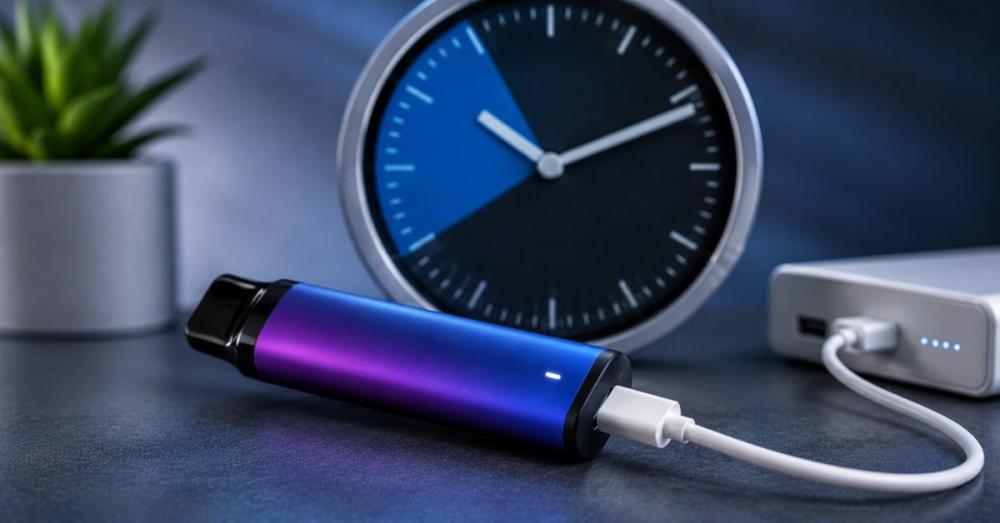
One of the most common questions among new users is how long does it take to charge a disposable vape. The answer depends on several factors, including the battery capacity, charging cable, USB power source, and the overall condition of the battery.
Most rechargeable disposable vapes are designed to charge quickly. Under normal conditions, a full charge typically takes 30 to 90 minutes. Smaller batteries may be fully charged in around half an hour, while larger-capacity devices with higher puff counts may require up to 90 minutes or slightly longer.
If you've searched for how long does it take to charge a vape, how long does a vape take to charge, how long to charge disposable vape, or how long does it take for a vape to charge, the general recommendation is the same: don't rely solely on the clock. Instead, monitor the charging indicator and unplug the device once it's fully charged.
Several factors can influence charging time:
- Battery Capacity (mAh): Larger batteries require more time to recharge.
- Charging Cable Quality: A high-quality USB-C or Micro-USB cable provides a stable connection and efficient charging.
- USB Power Source: Standard USB wall adapters and computer USB ports usually deliver consistent charging performance.
- Battery Health: Older batteries may charge more slowly and hold less power than newer ones.
- Charging Temperature: Extremely hot or cold environments can affect charging efficiency.
To help preserve battery life, avoid repeatedly disconnecting and reconnecting the charger during the charging process. Unplug the battery after it has fully charged the device rather than leaving it connected unnecessarily.
Charging Time by Battery Size
Although charging times vary by manufacturer and battery technology, the table below provides a general estimate for most rechargeable disposable vapes.
| Battery Capacity | Typical Puff Count | Estimated Charging Time |
|---|---|---|
| 400–500 mAh | Up to 3,000 puffs | 30–45 minutes |
| 500–650 mAh | 3,000–8,000 puffs | 45–60 minutes |
| 650–850 mAh | 8,000–15,000 puffs | 60–75 minutes |
| 850–1,000+ mAh | 15,000+ puffs | 75–90 minutes |
Note: These are general estimates. Charging time varies by device model, battery condition, and the manufacturer's charging specifications.
How to Know When Your Vape Is Fully Charged
Most rechargeable disposable vapes include an LED charging indicator that shows the battery's charging status. While the exact colors and light patterns differ between brands, many devices follow a similar system.
| Indicator Light | Typical Meaning |
|---|---|
| Red | Battery is charging |
| Green | Battery is fully charged |
| White | Device is ready for use |
| Flashing | Charging error, low battery, loose connection, or battery issue |
Some disposable vapes don't change colors at all. Instead, the LED may simply turn off once charging is complete.
Always consult the manufacturer's instructions or user manual for the correct interpretation of your device's indicator lights.
Signs Your Vape Is Fully Charged
Besides the LED indicator, you may notice several signs that charging is complete:
- The charging light changes color or turns off.
- The battery no longer feels warm.
- The estimated charging time has passed.
- The device produces normal vapor after unplugging.
If the light continues flashing for an extended period or never changes, inspect the charging cable, charging port, and power source before assuming the battery is faulty.
Common Charging Mistakes to Avoid
Following good charging habits can help extend battery life and reduce the risk of charging problems. Here are some of the most common mistakes users make.
Using High-Wattage Fast Chargers
Most disposable vapes are designed for standard USB charging rather than high-speed charging. Using an incompatible fast charger may generate excessive heat and place unnecessary stress on the battery.
Leaving the Vape Charging Overnight
Although many rechargeable disposable vapes include basic battery protection, it's still good practice to unplug the device once it's fully charged. Leaving it connected overnight isn't recommended unless the manufacturer specifically states it's safe to do so.
Using Damaged Charging Cables
A worn, bent, or frayed disposable vape charger can interrupt charging and may damage both the charging port and battery. Replace damaged cables immediately.
Charging Near Heat Sources
Avoid placing your vape near direct sunlight, heaters, radiators, stoves, or inside a hot vehicle while charging. Excessive heat can shorten battery life and increase safety risks.
Charging a Wet Device
Never connect a vape to a power source if the charging port or cable is wet. Before charging, make sure the device is totally dry.
Ignoring Signs of Battery Damage
Immediately cease using the device if you observe:
- Swelling
- Cracks
- Leaking
- Excessive heat
- Burning smells
- Unusual noises while charging
These may indicate battery damage that requires replacing the device.
Trying to Charge a Non-Rechargeable Vape
One of the biggest mistakes is attempting to charge a disposable vape that wasn't designed to recharge. Always confirm the device has a charging port and is labeled as rechargeable before connecting it to power.
Myth vs. Fact
Understanding the facts about disposable vape charging can help you avoid misinformation and use your device more safely.
| Myth | Fact |
|---|---|
| Every disposable vape can be recharged. | False. Only models designed with a rechargeable battery and charging port should be charged. |
| A fast charger is always better. | False. Use the charging method recommended by the manufacturer to help protect battery life. |
| Charging longer makes the battery last longer. | False. Once fully charged, unplugging the device is generally the best practice. |
| A flashing LED always means charging is working. | False. Flashing lights may also indicate a charging fault, loose connection, or low battery depending on the device. |
| If a rechargeable disposable vape won't charge, it's always repairable. | False. A worn battery, damaged charging port, or internal fault may mean the device has reached the end of its usable life. |
By understanding these facts and following safe charging practices, you can maximize battery performance, reduce common charging issues, and get the best experience from your rechargeable disposable vape.
Why Your Disposable Vape Isn't Charging
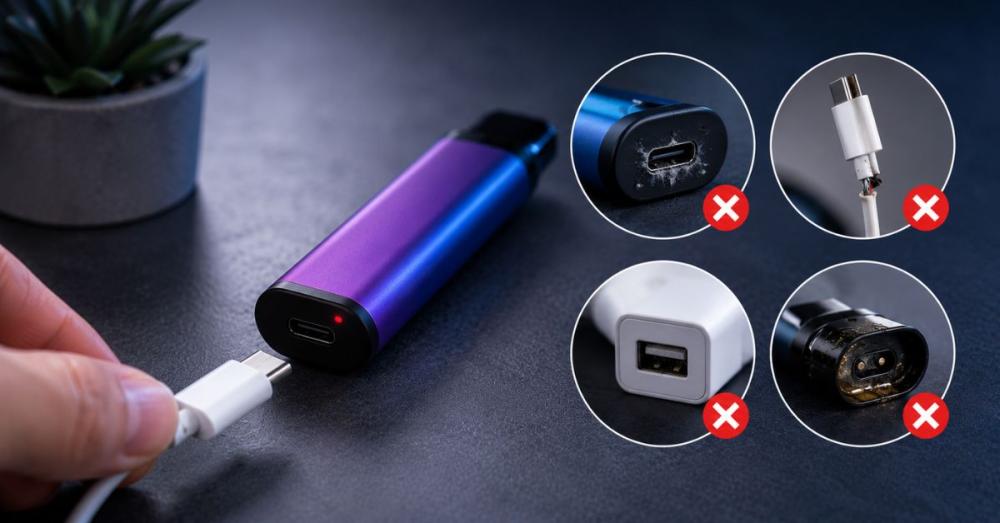
If your rechargeable disposable vape isn't charging, don't assume the battery has failed immediately. In many cases, the problem is something simple that you can identify and fix within a few minutes. Working through a basic troubleshooting checklist can help determine whether the issue is related to the charger, charging port, battery, or the device itself.
1. The Charging Port Is Dirty
One of the most common reasons a rechargeable disposable vape not charging is a blocked charging port.
Because disposable vapes are often carried in pockets or bags, dust, lint, and small debris can build up inside the USB port. Even a small amount of debris may prevent the charging cable from making proper contact.
What to do:
- Inspect the charging port under good lighting.
- Remove loose dust with compressed air or a soft, dry brush.
- Never use metal tools or sharp objects, as they can damage the internal connectors.
2. The Charging Cable Is Faulty
Not every charging problem is caused by the vape itself. A damaged or worn USB cable can interrupt power delivery.
Signs of a faulty cable include:
- Loose connections
- Bent connectors
- Frayed insulation
- Intermittent charging
Solution:
Try another compatible USB-C or Micro-USB cable. If the vape starts charging, you've identified the problem.
3. The USB Power Source Isn't Working
Sometimes the issue isn't the vape or cable—it's the USB power source.
Try plugging the charger into:
- A different laptop USB port
- Another USB wall adapter
- A certified USB charging hub
Avoid using damaged adapters or extremely high-powered chargers unless recommended by the manufacturer.
4. The Battery Is Completely Drained
If the battery has been fully depleted, the charging indicator may not illuminate immediately.
Leave the vape connected to power for 10–15 minutes before checking again. In many cases, the battery simply needs enough power to restart the charging circuit.
5. The Charging Port Is Damaged
Frequent plugging and unplugging or accidental drops can damage the charging connector.
Possible signs include:
- The cable feels loose.
- The connector won't stay in place.
- The charging light turns on and off repeatedly.
If the charging port is physically damaged, the disposable vape usually cannot be repaired safely.
6. The Battery Has Reached the End of Its Life
Rechargeable disposable vapes use sealed lithium-ion batteries, which naturally degrade over time.
After multiple charging cycles, the battery may:
- Charge slowly
- Lose capacity
- Fail to hold a charge
- Stop charging completely
When this happens, replacing the device is generally the safest option.
7. The Device Has Reached the End of Its Lifespan
Rechargeable disposable vapes are designed to last only until the e-liquid is depleted.
If your vape no longer produces flavor or vapor and the battery won't charge properly, the device has likely reached the end of its usable life.
Quick Troubleshooting Checklist
Before replacing your vape, check the following:
- Is the device actually rechargeable?
- Is the charging cable working?
- Is the USB power source functioning?
- Is the charging port clean?
- Is the LED charging indicator responding?
- Has the battery been charging for at least 10–15 minutes?
If you've tried all of these steps and the vape still doesn't charge, replacing the device is usually the best solution.
Safety Tips for Charging a Disposable Vape
Charging a disposable vape correctly isn't just about convenience—it's also about battery safety. Following a few simple precautions can help protect both the device and the user.
Always Use a Compatible Charger
Whenever possible, use the charging cable recommended by the manufacturer. A compatible cable provides a secure connection and helps reduce charging issues.
Charge on a Hard, Non-Flammable Surface
Place the vape on a stable surface such as:
- A wooden desk
- Ceramic tile
- Stone countertop
Avoid charging on:
- Beds
- Sofas
- Blankets
- Pillows
Soft materials can trap heat around the battery.
Keep the Device Dry
Never charge a vape if:
- The charging port is wet.
- The cable is damp.
- The device has recently been exposed to water.
Moisture increases the risk of electrical damage.
Avoid High Temperatures
Heat is one of the biggest enemies of lithium-ion batteries.
Keep your vape away from:
- Direct sunlight
- Radiators
- Heaters
- Hot vehicles
- Kitchen appliances
Charging in a cool, well-ventilated area helps maintain battery performance.
Disconnect Once Fully Charged
Although many rechargeable disposable vapes include built-in battery protection, unplugging the device once charging is complete is still considered good practice.
Stop Charging If You Notice Warning Signs
Disconnect the charger immediately if the vape:
- Becomes unusually hot
- Starts swelling
- Leaks e-liquid
- Produces a burning smell
- Makes unusual noises
These signs may indicate battery damage.
Keep Away From Children and Pets
Store and charge disposable vapes in a secure location where children and pets cannot access them.
Can You Recharge Every Disposable Vape?
No.
This is one of the biggest misconceptions among new users.
Only disposable vapes specifically designed with rechargeable batteries should ever be connected to a charger.
There are two main categories:
Rechargeable Disposable Vapes
These devices typically feature:
- USB-C or Micro-USB charging ports
- Rechargeable lithium-ion batteries
- Larger e-liquid capacity
- Higher puff counts
- LED charging indicators
They are intended to be recharged multiple times until the e-liquid is finished.
Non-Rechargeable Disposable Vapes
These devices:
- Have no charging port
- Use a sealed, non-rechargeable battery
- Are designed for single use only
Never attempt to open, modify, or force-charge a non-rechargeable vape. Doing so can damage the battery and create unnecessary safety risks.
How Many Times Can You Recharge a Disposable Vape?
There isn't a universal number because every manufacturer uses different battery capacities and device designs.
The number of charging cycles depends on:
- Battery capacity
- Battery condition
- Remaining e-liquid
- Frequency of use
- Charging habits
Most rechargeable disposable vapes are designed to be recharged multiple times throughout their lifespan. The purpose isn't to make the device last forever—it's to ensure you can use all of the e-liquid before disposing of it.
Once the vape is empty, continuing to recharge the battery provides no benefit.
When Should You Replace Instead of Recharge?
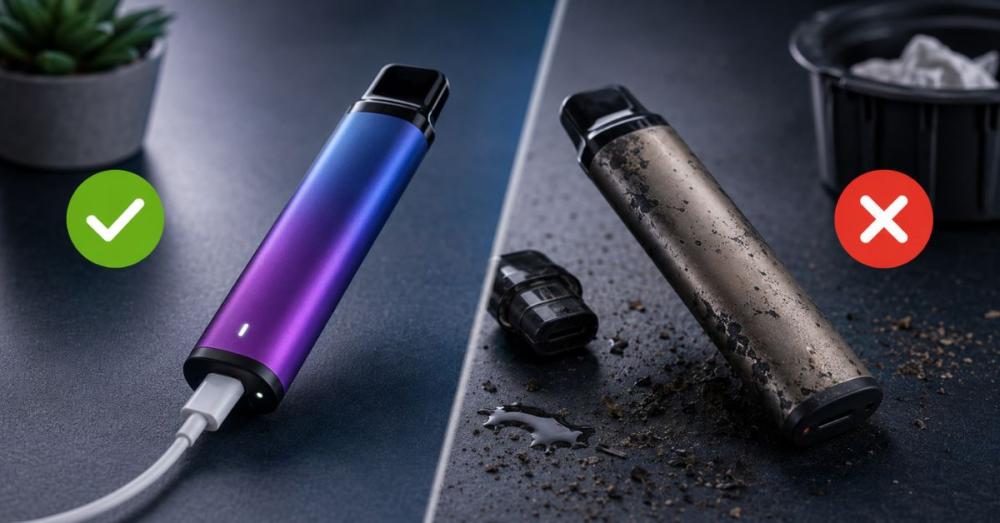
Charging isn't always the answer. Sometimes replacing the disposable vape is the safer and more practical option.
Replace your device if you notice any of these signs:
- A persistent burnt taste after charging
- No visible e-liquid remaining
- Weak vapor despite a full battery
- Leaking e-liquid
- A swollen battery or cracked casing
- Physical damage from dropping the device
- The vape won't charge after trying different cables and power sources
- The charging port is loose or broken
Disposable vapes are sealed products and aren't designed to be repaired or disassembled. If the battery, charging port, or internal electronics fail, replacing the device with a new manufacturer-approved rechargeable vape is generally the safest course of action.
Key Takeaways
If you only remember a few things from this guide, keep these points in mind:
- Not every disposable vape is rechargeable. Always check for a USB-C or Micro-USB charging port before attempting to charge the device.
- Most rechargeable disposable vapes require 30–90 minutes to reach a full charge.
- Use a compatible charging cable and a low-power USB power source for safe charging.
- Avoid damaged cables, excessive heat, moisture, and overnight charging whenever possible.
- If your vape won't charge, inspect the charging port, charging cable, and power source before replacing the device.
- Rechargeable disposable vapes are designed to be charged only until the e-liquid is depleted—they are not intended for permanent use.
- Replace the device if it becomes damaged, develops a burnt taste after charging, leaks, or no longer charges properly.
Conclusion
Learning how to recharge a disposable vape correctly helps you get the most from a rechargeable device while protecting its battery and ensuring safe operation. The most important first step is confirming that your vape is actually designed for recharging. If it has a USB-C or Micro-USB charging port, you can typically recharge it using a compatible charging cable and a suitable USB power source.
Throughout this guide, we've explained how to charge a disposable vape, how long it takes to charge, how to identify charging problems, and the safest charging practices to follow. By using the correct equipment, monitoring the charging indicator, and avoiding common mistakes such as using incompatible chargers or charging a non-rechargeable device, you can extend the usable life of your rechargeable disposable vape and enjoy more consistent performance.
Remember that rechargeable disposable vapes are still disposable products. Once the e-liquid is empty, the battery no longer holds a charge, or the device shows signs of damage, it's time to replace it rather than continue attempting to recharge it.
Whether you're a first-time user or an experienced vaper, following the recommendations in this guide will help you recharge your disposable vape safely, troubleshoot common charging issues, and make informed decisions about battery care and device replacement.
FAQs
1. Can all disposable vapes be recharged?
No. Only disposable vapes that are specifically designed with a USB-C or Micro-USB charging port can be recharged. If your device doesn't have a charging port or the manufacturer doesn't mention that it's rechargeable, you should not attempt to charge it.
2. Can you charge a disposable vape?
Yes, but only if it's a rechargeable disposable vape. Always confirm your device supports charging before connecting it to a USB power source. Charging a non-rechargeable vape can damage the battery and create safety risks.
3. How long does it take to charge a disposable vape?
For most rechargeable disposable vapes, a full charge takes 30 to 90 minutes. The exact charging time depends on the battery capacity, charger, USB power source, and the condition of the battery.
4. How do I know when my disposable vape is fully charged?
Most rechargeable disposable vapes use an LED indicator light.
Typical indicators include:
- Red: Charging
- Green: Fully charged
- White: Ready to use
- Flashing: Charging issue, low battery, or connection problem
Some devices simply turn the light off when charging is complete. Always refer to your manufacturer's instructions because indicator patterns vary by brand.
5. Can I use a phone charger?
In many cases, yes. A standard USB phone charger with an appropriate power output is usually acceptable if the manufacturer allows it. However, avoid high-wattage fast chargers unless your disposable vape specifically supports fast charging.
6. Why is my rechargeable disposable vape not charging?
Several issues may prevent your vape from charging, including:
- A dirty charging port
- A faulty charging cable
- A damaged USB power source
- A completely drained battery
- A damaged charging port
- Internal battery failure
- The device has reached the end of its lifespan
Start by checking the cable and charging port before assuming the vape is faulty.
7. Can I vape while charging?
Some rechargeable disposable vapes support pass-through charging, allowing you to vape while the battery charges. Others do not. Unless the manufacturer specifically states that pass-through charging is supported, it's best to wait until charging is complete before using the device.
8. Can I overcharge a disposable vape?
Many modern rechargeable disposable vapes include built-in overcharge protection. Even so, unplugging the device once it's fully charged is considered best practice for maintaining battery health.
9. How many times can I recharge a disposable vape?
There's no fixed number because it varies by battery capacity, device design, and usage. Most rechargeable disposable vapes can be charged several times until all the e-liquid has been used.
10. What happens if I try to charge a non-rechargeable disposable vape?
Attempting to charge a non-rechargeable disposable vape may damage the battery, cause the device to malfunction, and create unnecessary safety risks. Only recharge disposable vapes that are specifically designed for charging.
11. How can I make my disposable vape battery last longer?
To maximize battery life:
- Use the correct charging cable.
- Avoid overcharging.
- Charge in a cool, dry location.
- Keep the charging port clean.
- Avoid exposing the device to extreme temperatures.
- Disconnect the charger once charging is complete.