
Wulf Mods Orbit 2 Concentrate Vaporizer Kit

Wulf Mods Orbit 2 Concentrate Vaporizer Kit Powered By Yocan
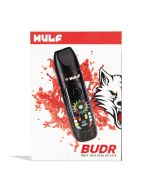
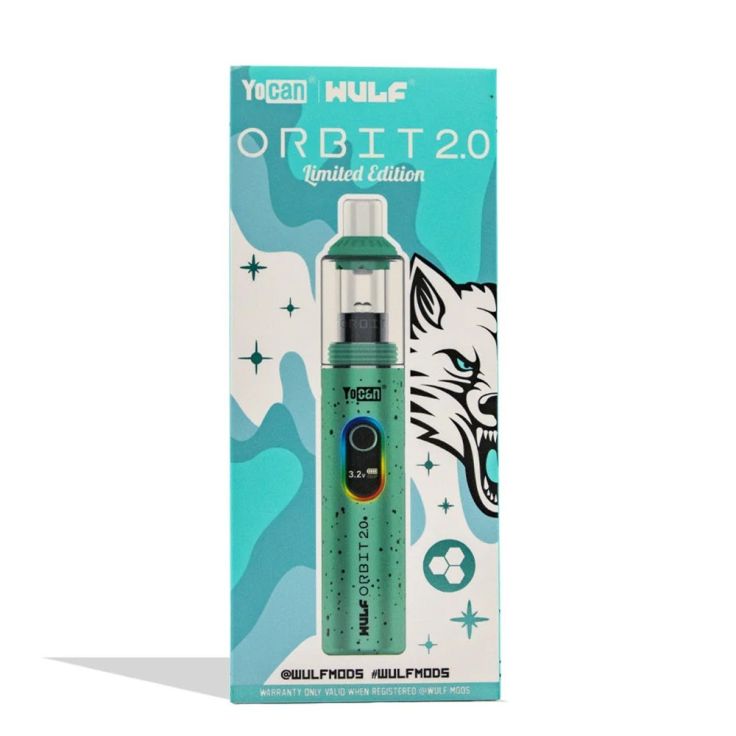
The Wulf Mods Orbit 2 is a second-generation concentrate vaporizer built on Yocan’s Orbit platform. It pairs a coil-less quartz cup with spinning quartz terp balls that help heat concentrates evenly. A 1400mAh battery with 2.5–4.0V voltage control, an OLED screen and Type-C charging keep sessions simple. Auto Mode runs a 15-second preheat followed by a 30-second session. Compare it with the original Yocan Orbit Vaporizer Pen or the compact Wulf Mods Budr. You can also browse all Concentrate Vaporizers and Wulf Mods Vaporizers.
Key Features
- Coil-less quartz cup with spinning quartz terp balls
- 1400mAh built-in battery
- Variable voltage from 2.5V to 4.0V
- Auto Mode with 15-second preheat and 30-second session
- OLED screen with built-in puff counter
- Type-C charging with overcharge protection
- Ceramic mouthpiece and glass cover
- 30-minute auto shut-off
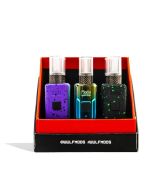
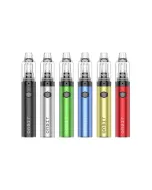
- Five color options: Black-Red Spatter, Black-White Spatter, Full Color, Purple-Black Spatter and Teal-Black Spatter
Specifications
| Spec | Details |
|---|---|
| Brand | Wulf Mods (powered by Yocan) |
| Model | Orbit 2 |
| Compatible Material | Concentrates |
| Atomizer | Coil-less quartz cup |
| Battery Capacity | 1400mAh (built-in) |
| Voltage Range | 2.5V–4.0V |
| Auto Mode | 15-second preheat + 30-second session |
| Display | OLED |
| Charging | Type-C |
| Auto Shut-off | 30 minutes |
| Mouthpiece | Ceramic |
What’s Included
- 1 × Wulf Mods Orbit 2 Concentrate Vaporizer
- 1 × Orbit 2 Quartz Cup
- 1 × Glass Cover
- 1 × Pick Tool
- 4 × Q-Tips
- 12 × Extra Quartz Terp Balls
- 1 × Type-C Charging Cable
- 1 × Instruction Manual
FAQ
Q: What can I use with the Wulf Mods Orbit 2?
A: It is made for concentrates. Load them directly into the coil-less quartz cup, along with one or two terp balls.
Q: How do I turn it on and start Auto Mode?
A: Press the power button 5 times to turn it on, then 2 times to start Auto Mode. It preheats for 15 seconds, then gives you a 30-second session.
Q: How do I change the voltage?
A: Press the power button 3 times to enter adjustment mode, then press once to cycle to the next voltage. Wait a few seconds for the screen to stop flashing and the setting to lock in.
Q: How do I charge it safely?
A: Use only the included Type-C cable. Do not charge with a 5V or higher power bank or in a car, and do not leave it unattended while charging.
Q: How do I clean the Orbit 2?
A: Let the quartz cup cool, remove the glass cover and wipe the chamber with a swab after each session. For a deep clean, power off, remove the cup and wipe each part with an isopropyl-dampened swab. Let everything dry fully before use.
Q: How is it different from the original Yocan Orbit?
A: The original Orbit has a 1700mAh battery and three preset voltage levels. The Orbit 2 has a 1400mAh battery, an OLED screen with a puff counter, and voltage control from 2.5V to 4.0V.